The more user-friendly four-axis XPS-RLD universal motion controller operates a range of motor types and performs sophisticated motions over a high-speed Ethernet TCP/IP interface. The low-cost XPS-RLD is an excellent option for both research and OEM applications, thanks to its superb servo rate and triggering, as well as its easy GUI and Plug-and-Play ESP technology.
- Single-click stage configuration
- .NET assemblies
- Up to four-axis universal motion controller
- ESP Plug and Play
- User-friendly interface
Specifications
Source: MKS Newport
| |
|
| Command Set |
Object-oriented language, 100+ functions, TCL-generated scripts, EPICS compatible |
| Compensation |
Linear error, backlash compensation, error mapping |
| Computer Interfaces |
Two Ethernet 10/100/1000 Base-T |
| Control Algorithm |
PI Position, PIDFF Velocity, PIDFF Acceleration, PIDDualFF Voltage, Variable PID's, Derivative Cut-off Filter, Notch Filters, or Open Loop |
| ESP Compatibility |
ESP stage detection |
| Motion |
Synchronized pt to pt, Spindle, Linear/circular interpolation, Splines, PVT, Analog tracking, Master-slave |
Features
ESP Plug-and-Play Compatibility

Image Credit: MKS Newport
When an ESP-compatible stage is attached to the XPS, it is instantly detected, and its operational settings are configured without human input. This Plug-and-Play function is not only transparent to the user but also ensures the stage's safety throughout operation.
Single-Click Configuration
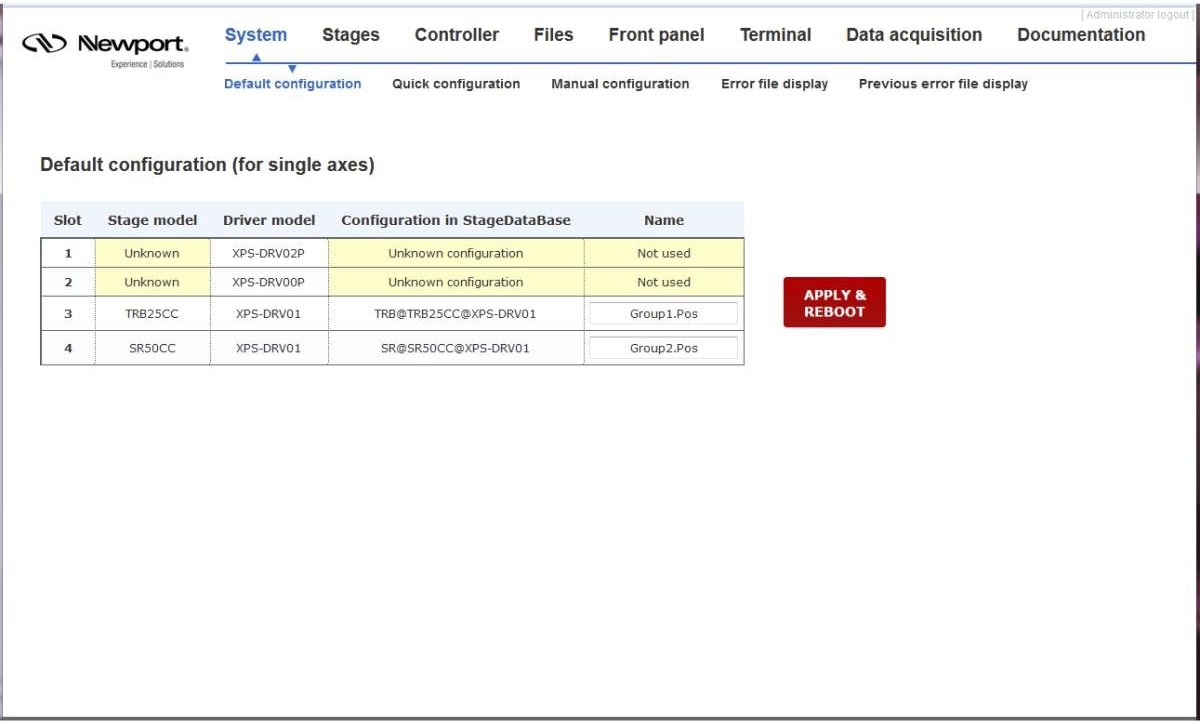
Image Credit: MKS Newport
The web interface enables rapid and easy configuration of the XPS-RLD, similar to the ESP301 controller.
Intuitive File Management
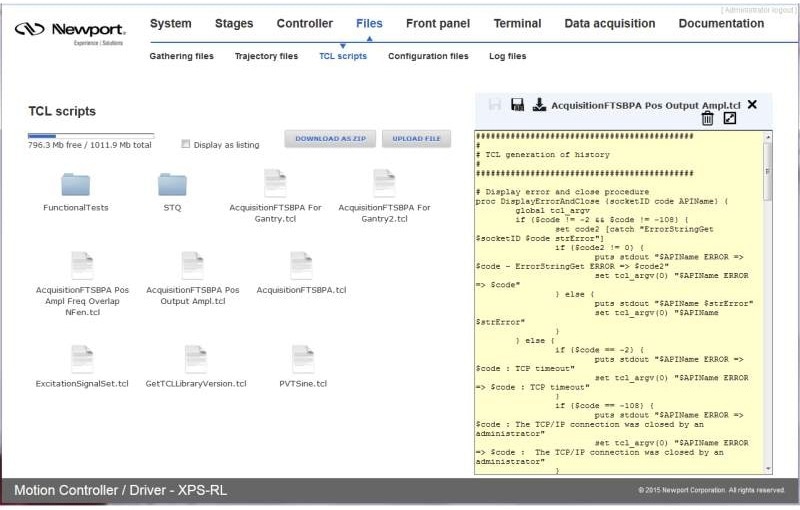
Image Credit: MKS Newport
As in a Windows environment, the system files stored in the XPS-RLD are readily accessible. Simultaneously, these files can be updated and saved in situ, eliminating the need to extract them from the folders and open them in Notepad or another text editor.
Meaningful Error Messages
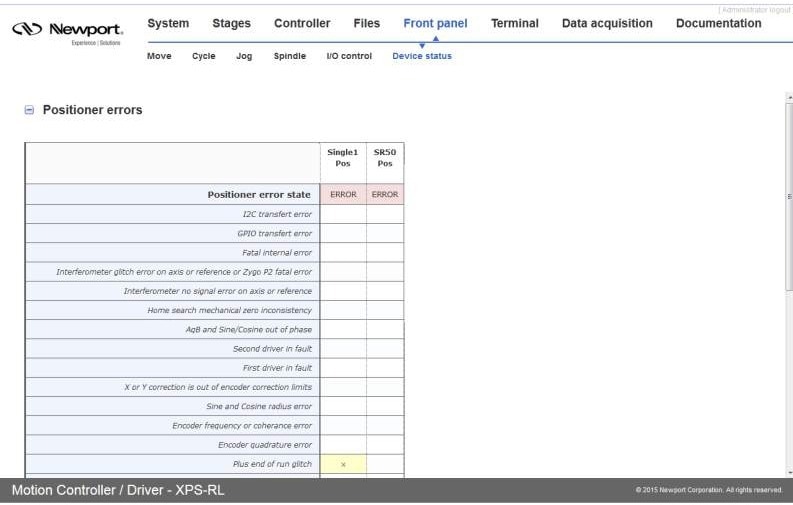
Image Credit: MKS Newport
Moving away from numerical error codes, the XPS-RLD now displays a new set of more descriptive error codes.
Optimum Position Grouping
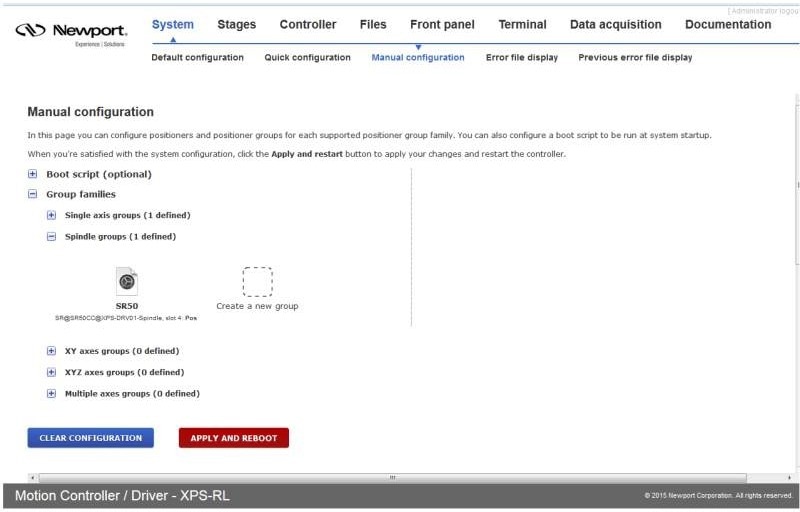
Image Credit: MKS Newport
The XPS has both pre-configured and user-definable motion groups to improve performance and make it easier to employ sophisticated features such as line-arc trajectories, splines, contouring, and complicated PVT trajectories. These motion groups can include single-axis positioners, spindles, gantry groups, XY groups, XYZ groups, and multiple-axis groups.
The flexibility of grouping stages enhances process flow and error management while also providing a consistent framework for easy application development.
Compensation for Maximum Accuracy
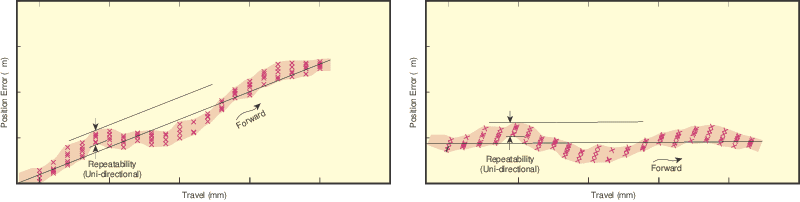
Example error before (left) and after (right) compensation. Image Credit: MKS Newport
The user can choose from a wide range of compensation options, including backlash, linear error, and error mapping in single, 2D, or 3D. All compensations are dynamically rectified at each servo cycle and updated at a frequency of 10 kHz.
This wide range of choices turns even the most basic positioner into a high-performance device, improving the accuracy and performance of any motion application and yielding more dependable outcomes.
Universal Driver Card Module
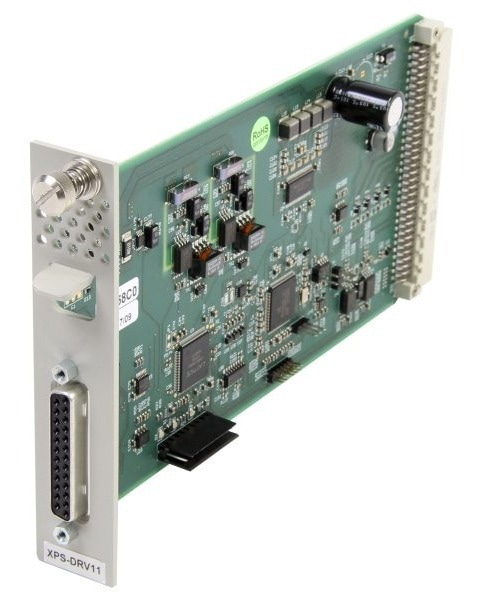
Image Credit: MKS Newport
The XPS-DRV11 is a universal digital driver card that works with the XPS-D and XPS-RLD controllers. It has been tuned to work with the majority of Newport's DC, stepper, and linear motor positioners.
It is not included with the controller and must be purchased separately. The Stage and Controller Compatibility table shows which stages the XPS-DRV11 can drive.
Line-Arc, Spline, and PVT Trajectories Motion Paths
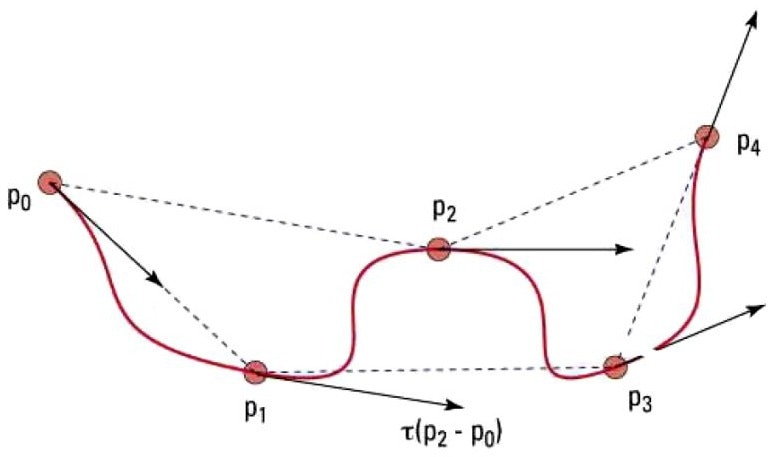
Catmull-Rom spline. Image Credit: MKS Newport
The Line-arc trajectory is a motion path defined by a combination of straight and curved segments (available only for positioners in XY groups) that maintains constant speed throughout the region of interest.
The sequential execution of the line-arc trajectories avoids discontinuities. A specialized function prechecks the trajectory to guarantee optimal and safe execution within the positioners' parameters.
The spline trajectory applies a Catmull-Rom spline to an XYZ group, traveling through user-specified locations with third-order polynomial segments at a constant speed. Spline trajectory, like Line-arc trajectory, has functions for trajectory prechecking.
The PVT mode is the most adaptable for generating complicated trajectories. In PVT, a trajectory element is described by each positioner's end position (P) and speed (V), as well as the element's duration (T).
The cubic-function trajectory that passes through each specified position at the specified times and velocities is then computed by the controller. PVT is an effective technique for trajectories with non-linear motion devices and for any type of trajectory with different speeds.
Inputs and Outputs for Integrating External Devices
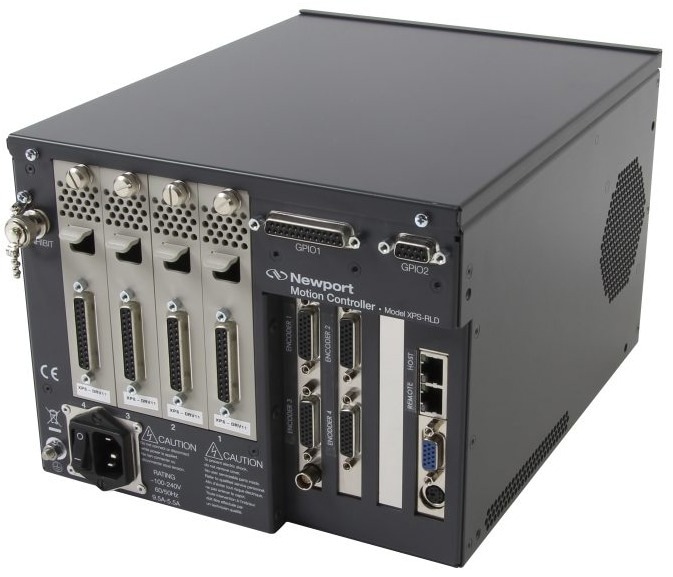
Image Credit: MKS Newport
The XPS-RLD supports GPIO with eight digital I/Os and two analog I/Os. These GPIOs allow users to read external switches, operate valves, and control other digital devices. The analog outputs can be used to precisely track any motion axis (such as location, velocity, or acceleration).
To synchronize external devices throughout a motion process, the XPS provides specialized "event and action" APIs that users can use to initiate an action in response to an event.
Typical examples include delivering a digital output when constant velocity is achieved or starting a TCL script when the motion is completed. The XPS monitors event status and initiates actions with a latency of 50 ns for position triggers, digital I/Os, and 125 µs for analog I/Os.
Since processing occurs at the controller level, this powerful function does not necessitate any extensive programming by the user and does not consume time on the host PC or communication link. The XPS can be used as the master controller for a complete application.
Real-Time Processing and Multitasking
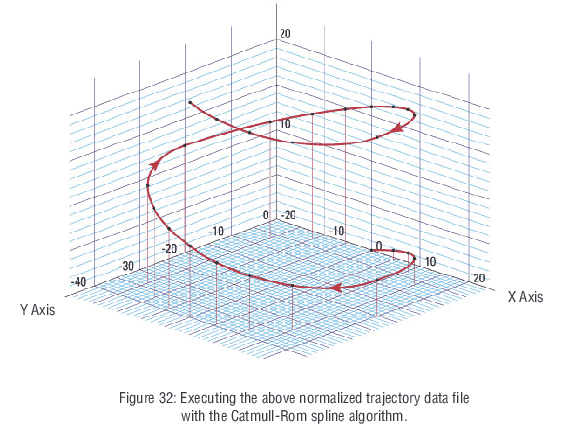
Image Credit: MKS Newport
The XPS, which is based on the QNX real-time operating system with multitasking capability, can execute complicated, internally stored, user-generated applications using TCL scripts. The motion processor enables TCL program execution without interfering with higher-priority operations.
With these extensive real-time multitasking capabilities, the XPS not only manages the most demanding motion requirements but also serves as a robust, standalone process controller that supports numerous applications simultaneously.
Native Tool Command Language (TCL)
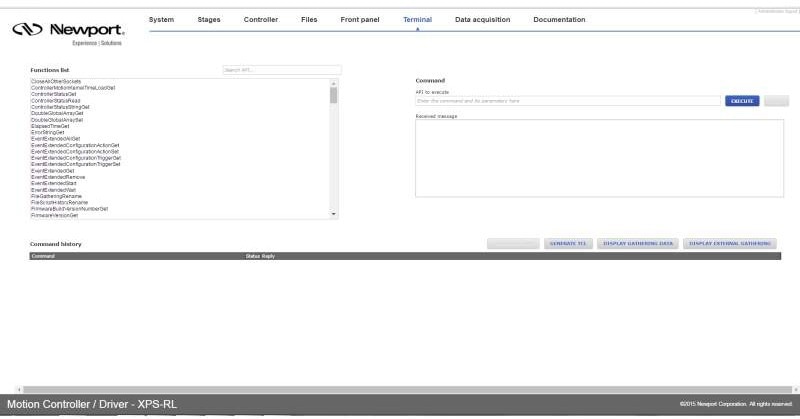
Image Credit: MKS Newport
TCL scripts can be generated quickly and executed directly from the XPS GUI Terminal, enabling rapid creation of motion applications. TCL (tool command language) is an open-source, string-based command language. TCL is field-proven, well-documented, and has a wealth of tutorials, applications, tools, and books for public use.
Easy Data Gathering
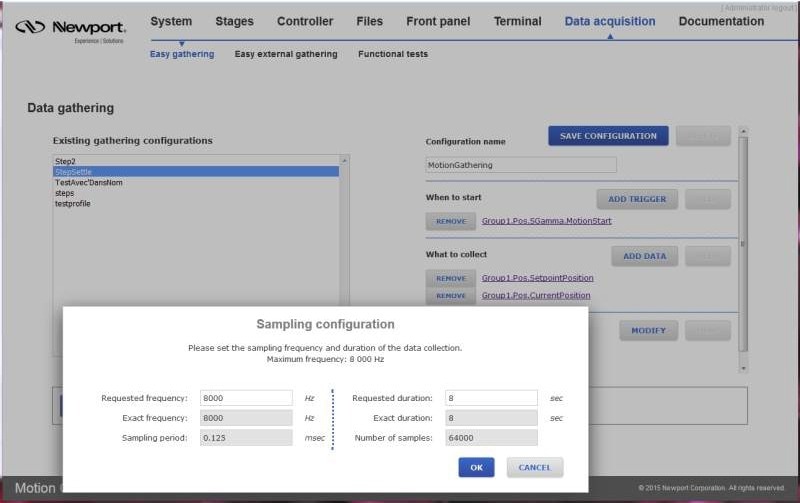
Image Credit: MKS Newport
Users can design and save both internal and external data-gathering settings for use in routine data acquisition.
Gathered Data Plotting
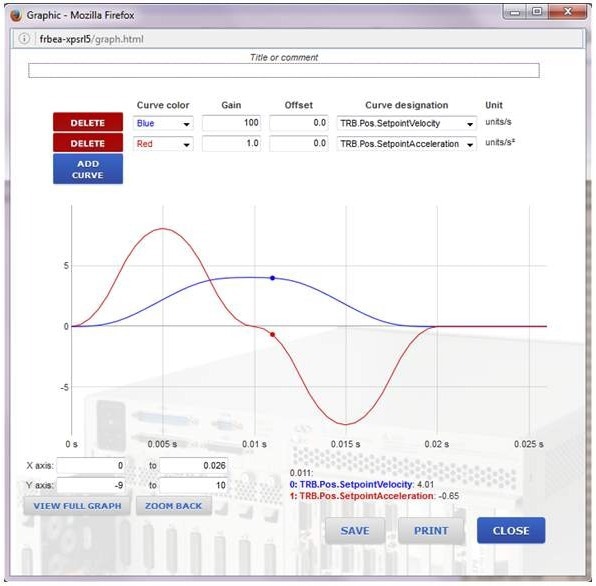
Image Credit: MKS Newport
To display the data gathered after data acquisition, click the DISPLAY button.
Command Motion with an External Analog Device
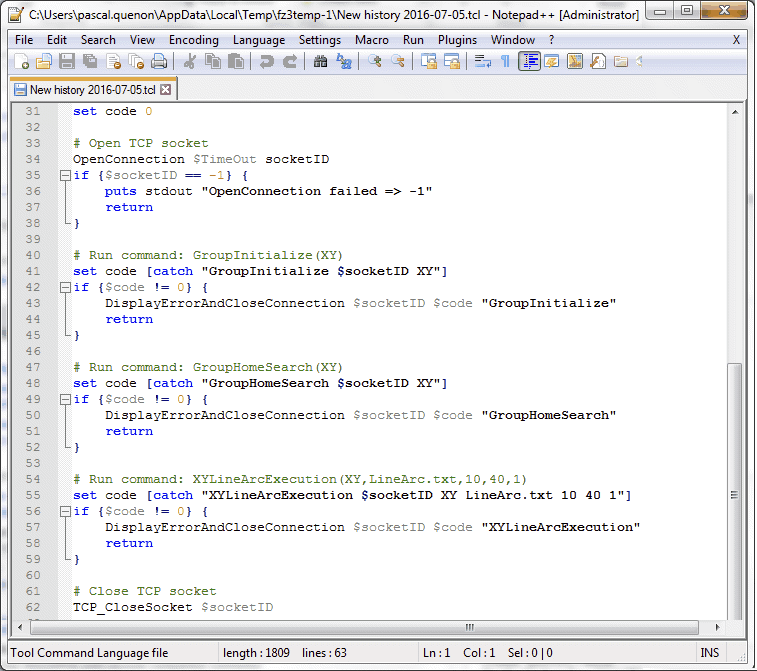
Image Credit: MKS Newport
The XPS has two or eight channels of 12-bit analog-to-digital converters that can be incorporated into a motion process using a TCL script. The analog inputs can be used to directly control the position or speed of a motion axis using external analog inputs.
This is crucial in precise alignment or auto-focusing routines that rely on real-time feedback from other devices, including power meters, vision systems, and sensors.
Aside from higher communication speed, the A-to-D conversion is performed internally within the XPS, so no processing burden is added to the host PC or the communication link. As a result, this feature can enhance process development and throughput.
XPS-GCODE
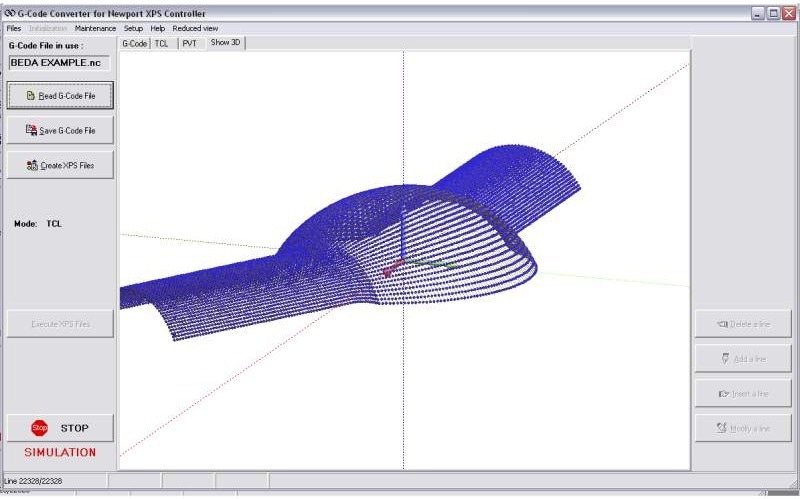
XPS-GCODE interface showing a 3D model generated from a G-CODE. Image Credit: MKS Newport
XPS-GCODE software transforms the XPS into a powerful, high-precision laser machining center capable of reading and converting G-code, displaying tool paths, and executing trajectory routines with the power and precision of Newport Motion Control.
Stage and Actuator Compatibility
The XPS Universal High-Performance Motion Controller and Driver work with the motorized stages and actuators.
Motorized Linear Stages
- High-Torque GTS Linear Stages
- High-Load-Capacity Steel MTN DC and Stepper Motor Linear Stages
- One-XY, Mid-Travel Integrated XY Linear Stages
- High-Performance Long-Travel IMS DC and Stepper Motor Linear Stages
- High-Performance Long-Travel IMS-LM Linear Motor Stages
- Industrial-Grade Long-Travel IDL Linear Motor Stages
- Precision, Compact, VP Linear Stages
- Miniature Steel MFA DC and Stepper Motor Linear Stages
- Mid-Travel Steel UTS DC and Stepper Motor Linear Stages
- Ultra-Precision XM Linear Motor Stages
- MLT Series Low-Profile High-Precision Linear Motor Stages
- High-Performance Mid-Travel ILS DC and Stepper Motor Linear Stages
- High-Performance Mid-Travel ILS-LM Linear Motor Stages
Motorized Rotation Stages
- High-Speed Belt-Driven URB Rotation Stage
- High-Angular-Stiffness Rotation Stages
- Integrated Vertical and Rotation ZVR DC and Stepper Motor Stages
- High-Precision BGM and BGS DC and Stepper Motor Goniometric Cradles
- Low-Profile PR50/SR50 DC and Stepper Motor Rotation Stages
- High-Performance RV DC and Stepper Motor Rotation Stages
- Precision URS DC and Stepper Motor Rotation Stages
- High-Speed RGV Direct Drive Rotation Stages
Motorized Vertical Linear Stages
- Ultra-Precision XMS Direct Drive Vertical Linear Stages
- High-Performance Long-Travel IMS-V Vertical Linear Stages
- Industrial-Grade IDL-V Vertical Linear Stage
- Precision Compact VP Vertical Linear Stage
- Steel UZ Vertical Linear Stages
- High-Precision GTS Vertical Linear Stages
Motorized Actuators
- VP High-Precision Actuator
- NPA-D Nanopositioning Piezo Stack Actuators
- TRA Compact Actuators
- TRB Compact Actuators
- LTA Precision Actuators